
1. Home
  2. FAQ
  3. How to Calibrate a Pioneer or POSBank screen.
  1. Home
  2. Using The POS - Front End
  3. How to Calibrate a Pioneer or POSBank screen.

How to Calibrate a Pioneer or POSBank screen.

How to Calibrate a Pioneer or POSBank screen.


1.Exit SmartTab application to the desktop.

2. Click the start menu button.

3. Begin typing EgTouch.

Once open, click the tools tab.
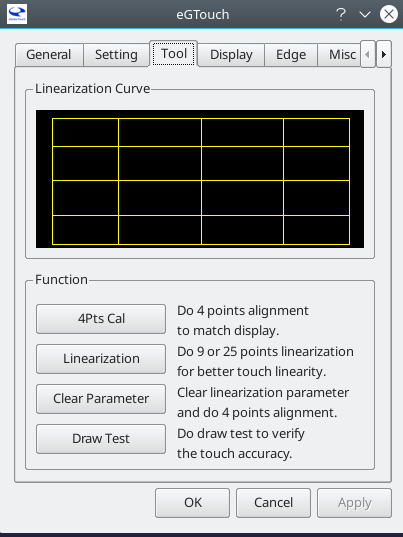
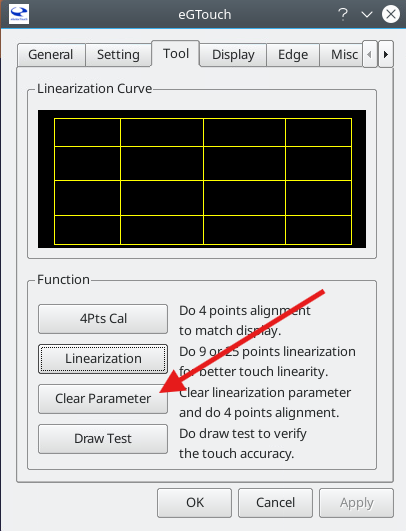
1. Start by clearing Parameters. This will automatically launch a 4-point calibration.
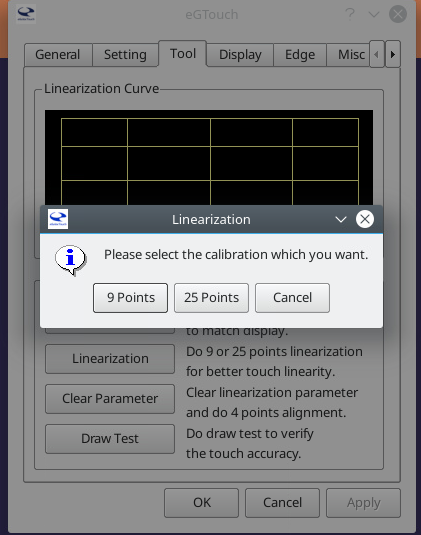
2. Once step one is completed, click Linearization and select 25 Point.
Was this article helpful?

Related Articles

Need Support?
Can’t find the answer you’re looking for? Don’t worry we’re here to help!
Contact Support

Leave a Comment