Entering Tips in Bulk
Step 1
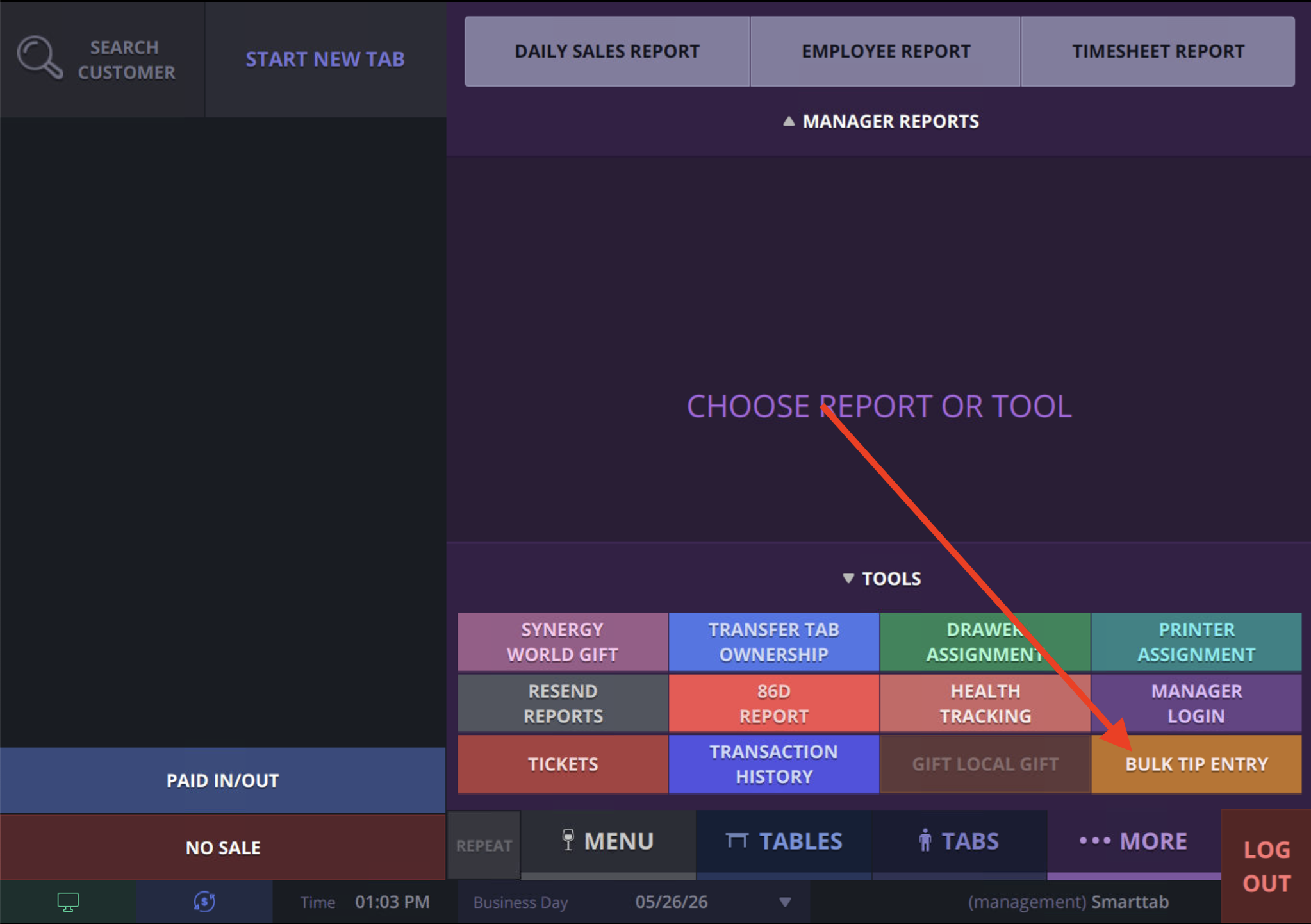
On the POS terminal, navigate to the More screen and select Bulk Tip Entry
Step 2
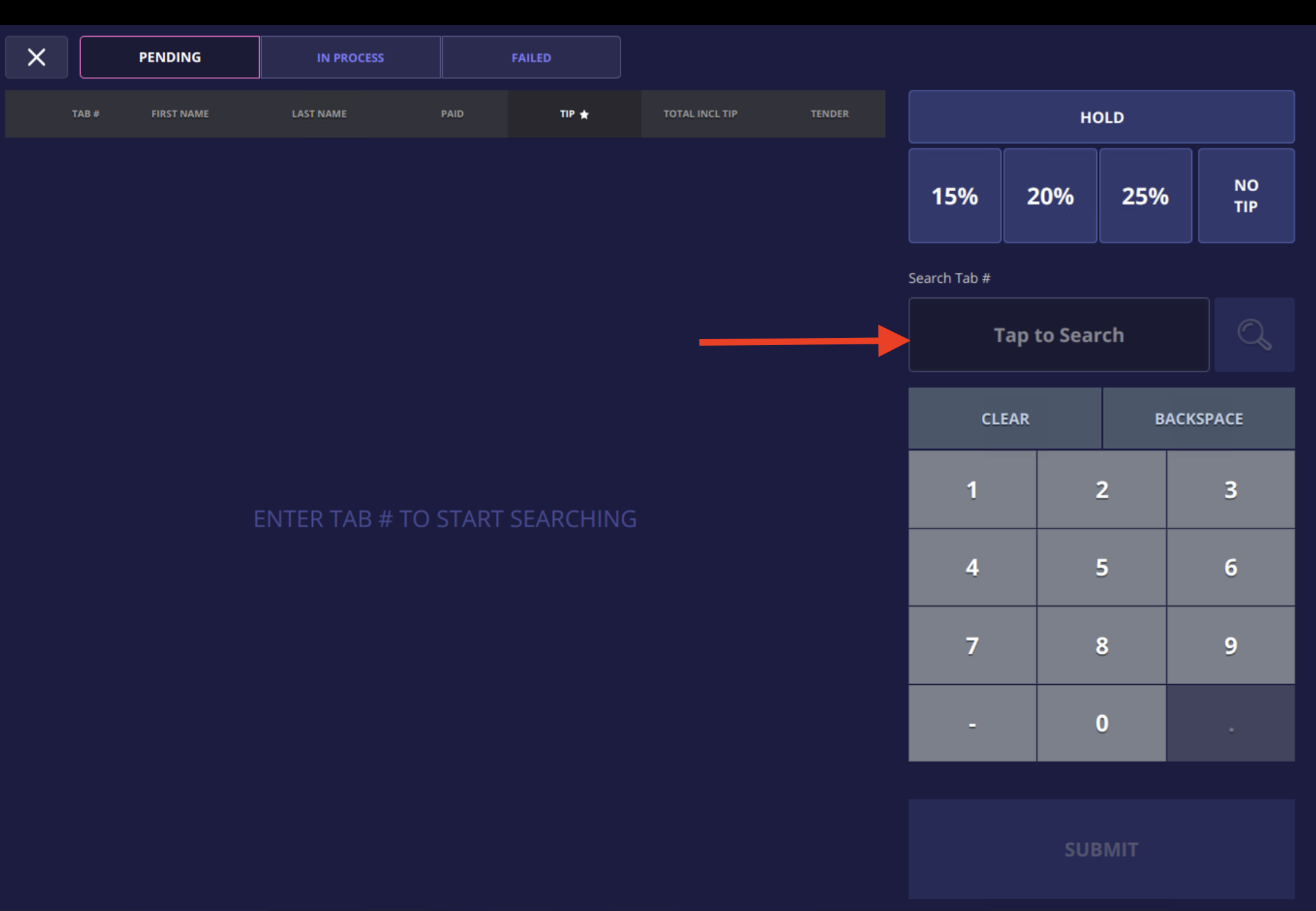
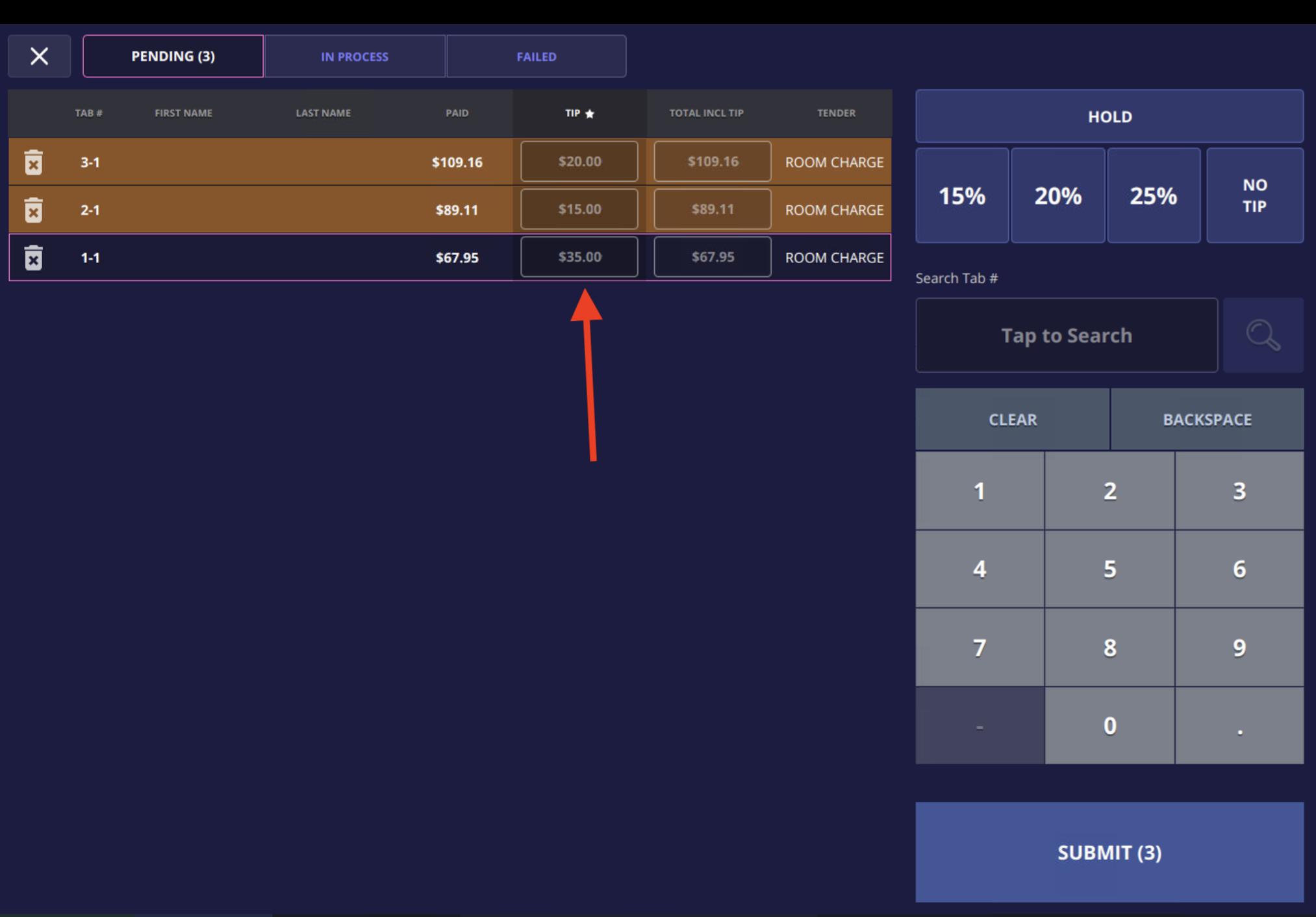
Type in the tab numbers and click the magnifying glass
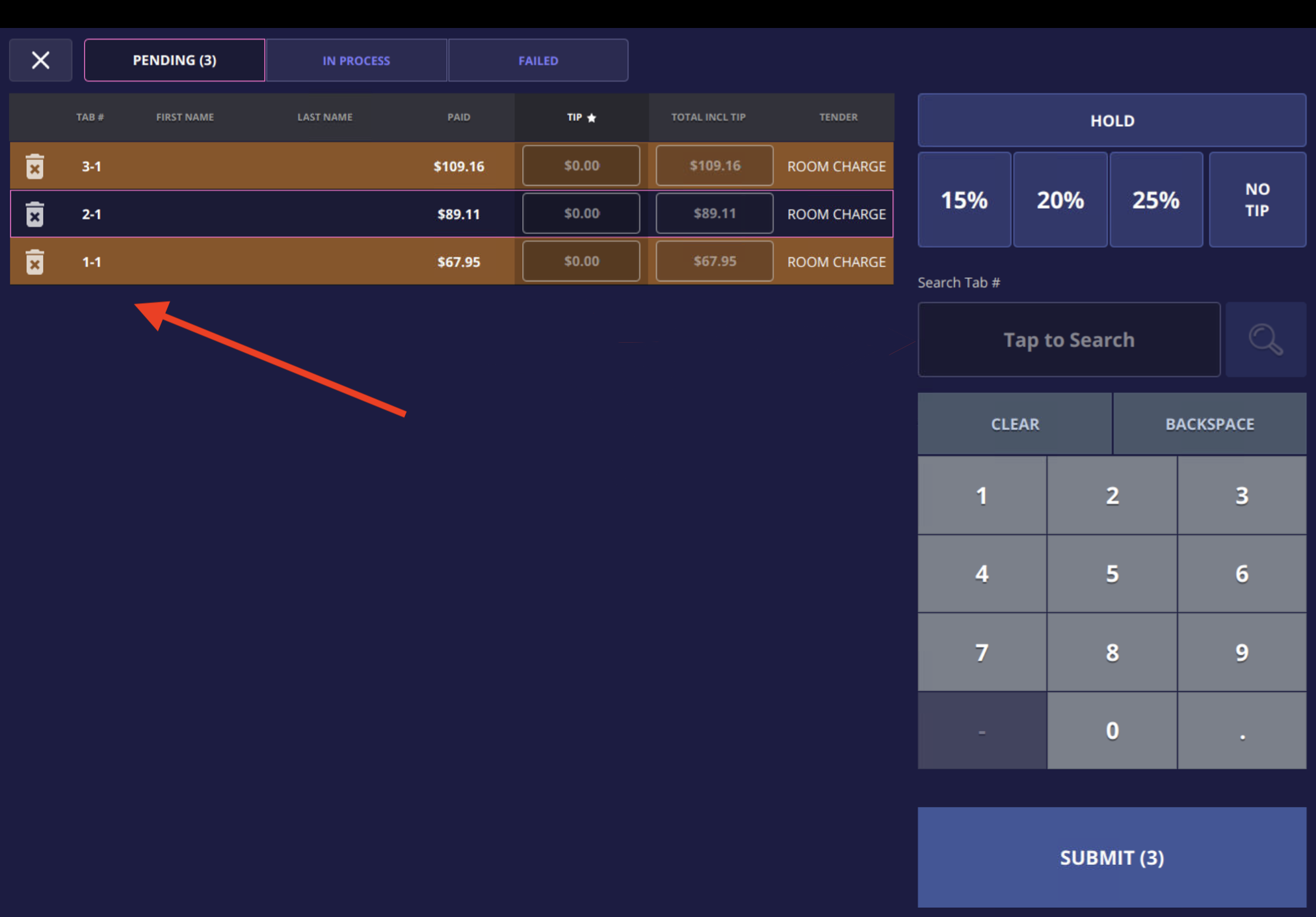
 As you enter the each tab number, they will appear on the left in list form
Step 3
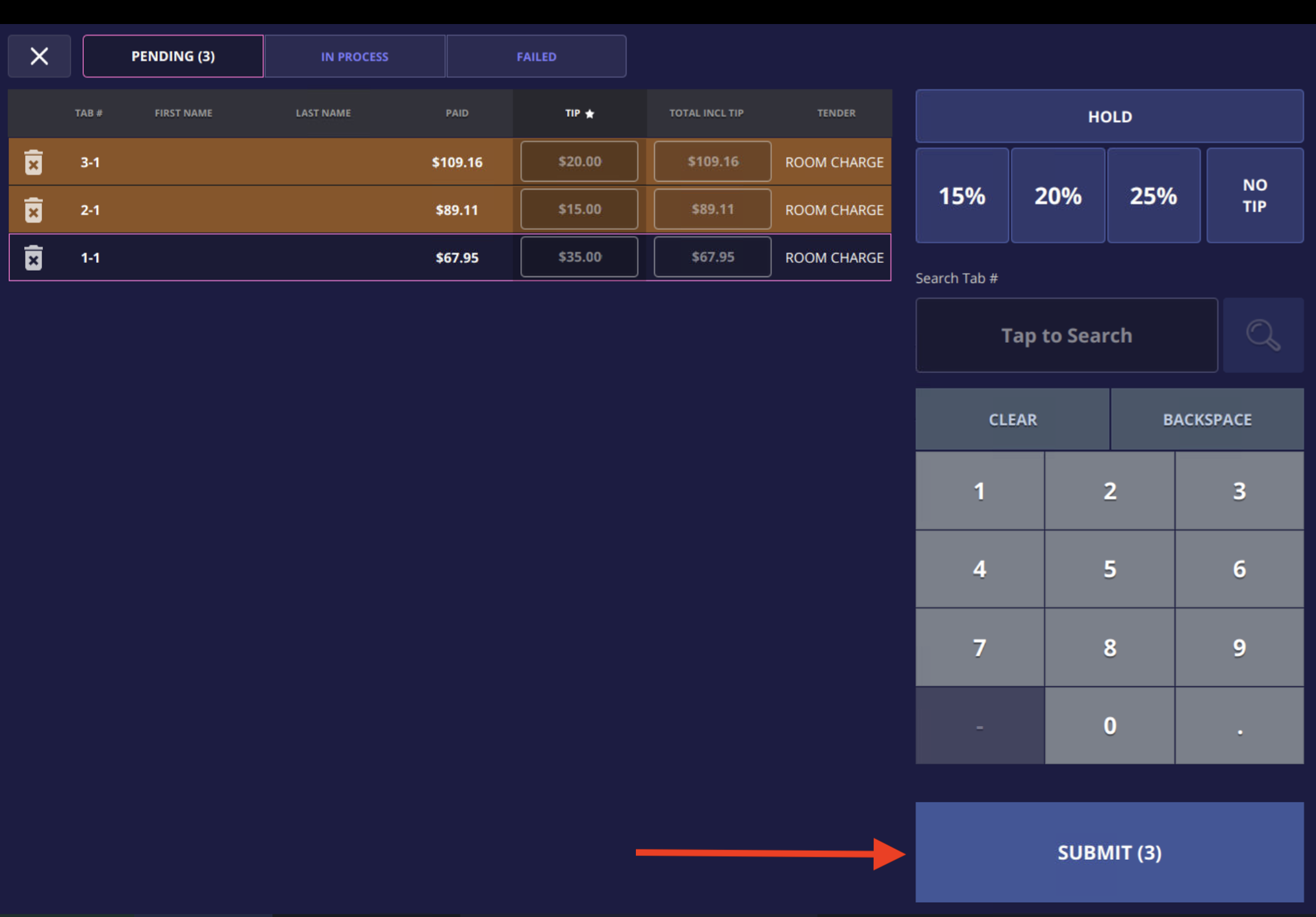
Enter each tip with its corresponding tab number
Step 4
Submit bulk tips