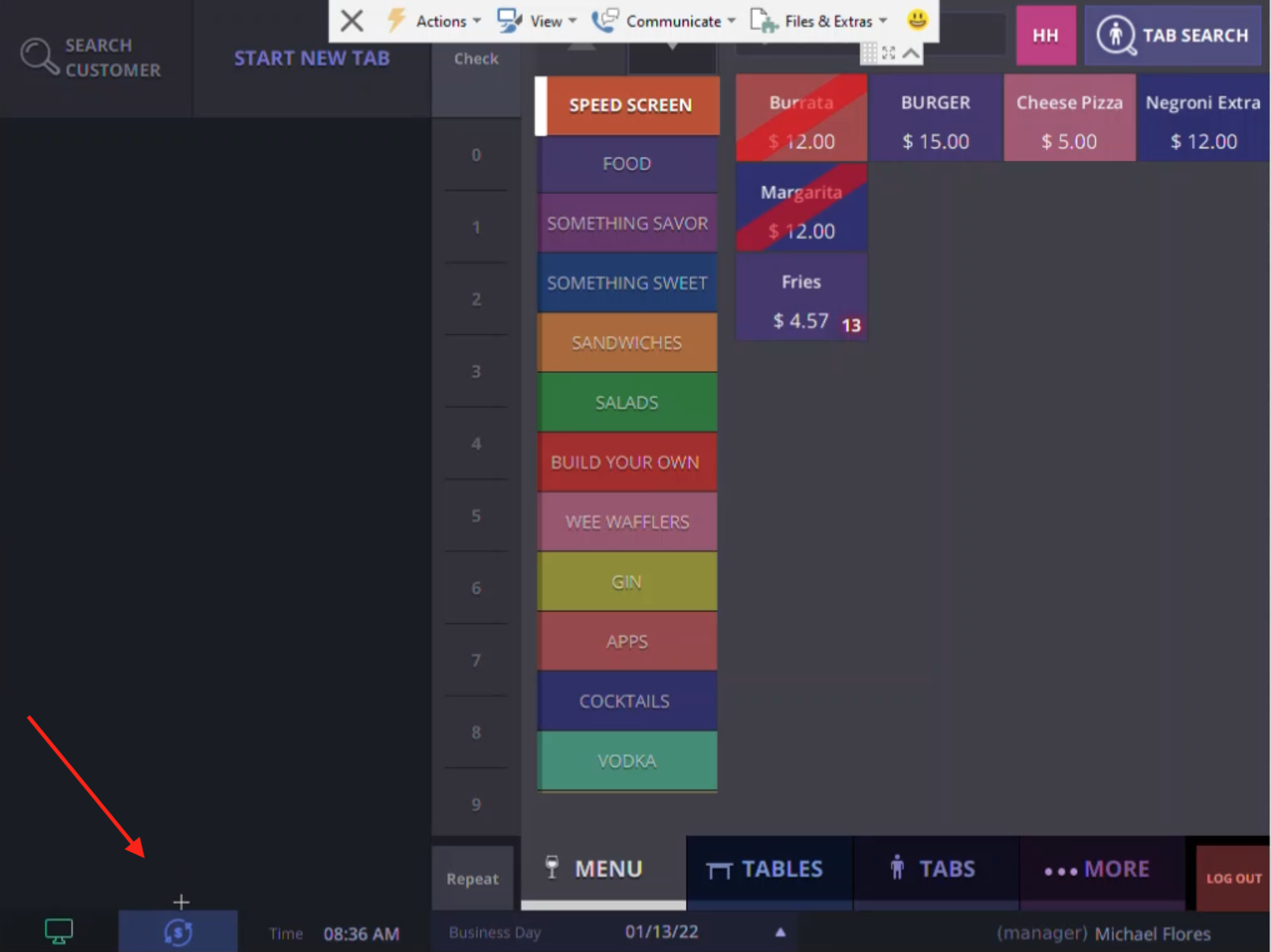
Prerequisite: This function is completed from the back-end web URL.
A user looking to change this setting will need the username and password to login into the back-end URL of their venue.
Step 1
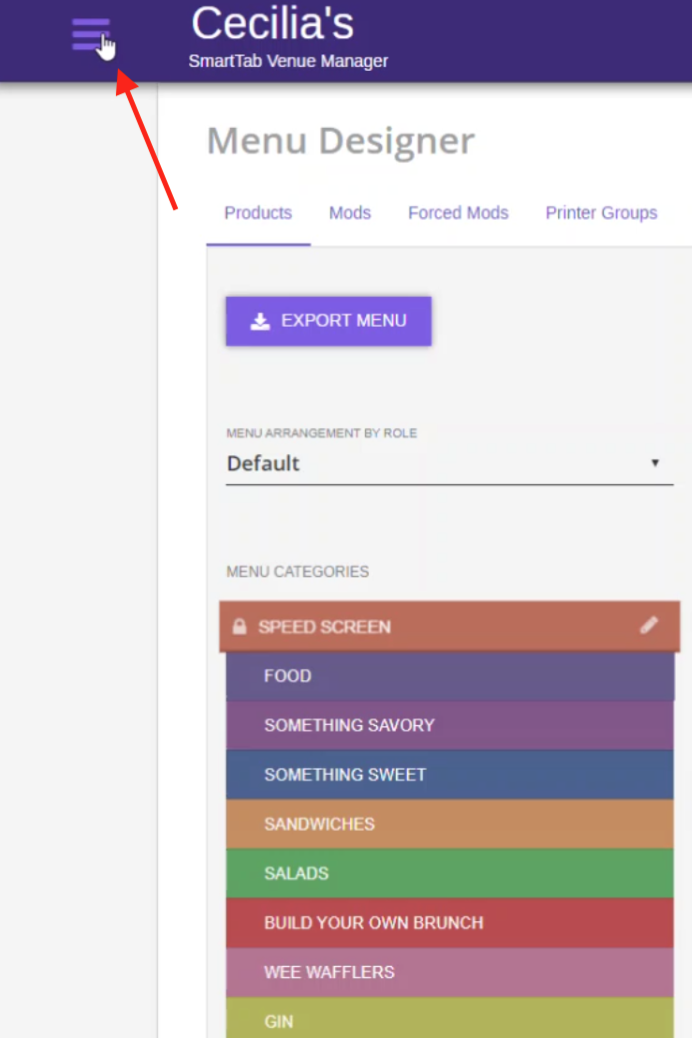
Click on the Hamburger menu in the top left of your web browser
Step 2
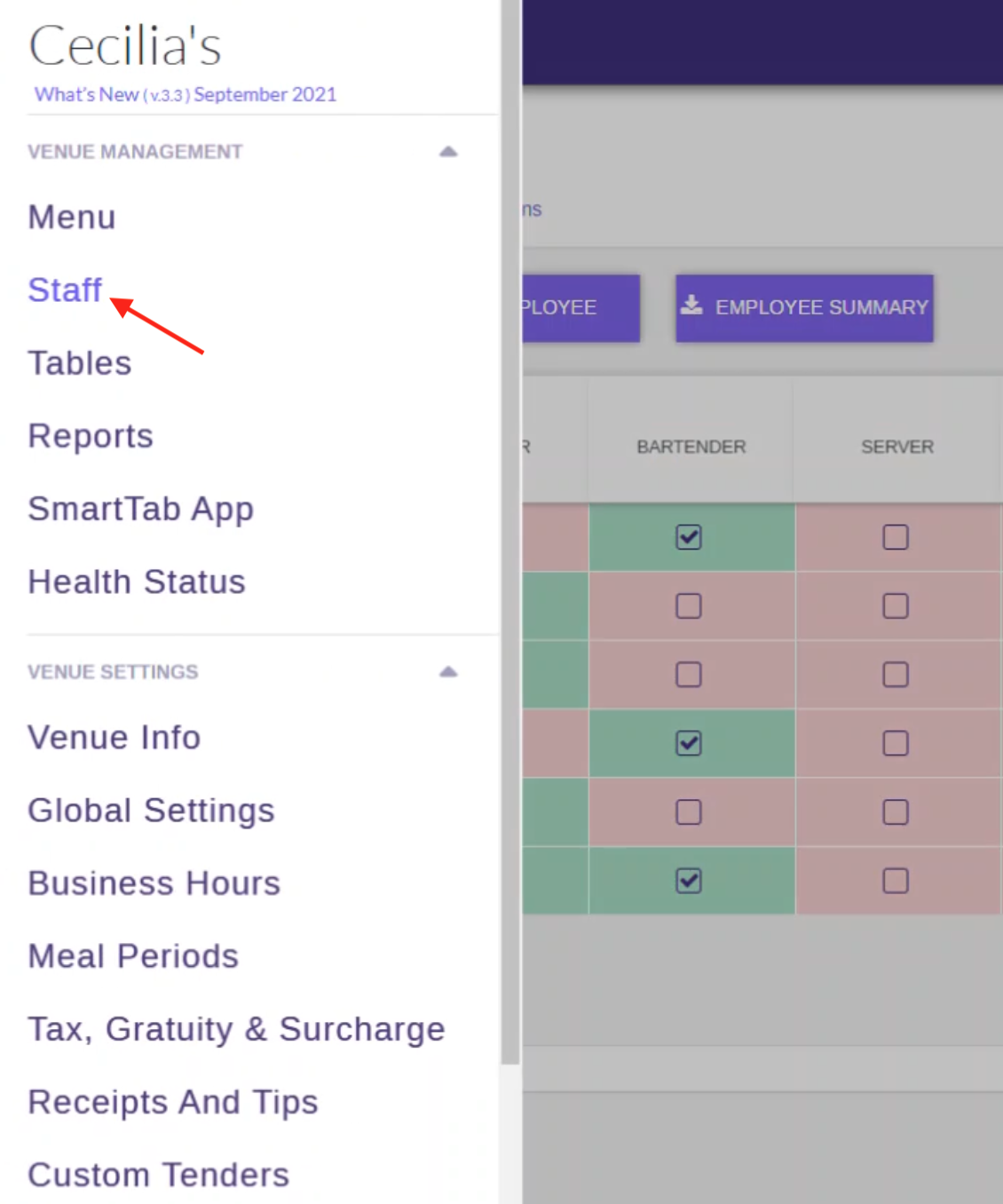
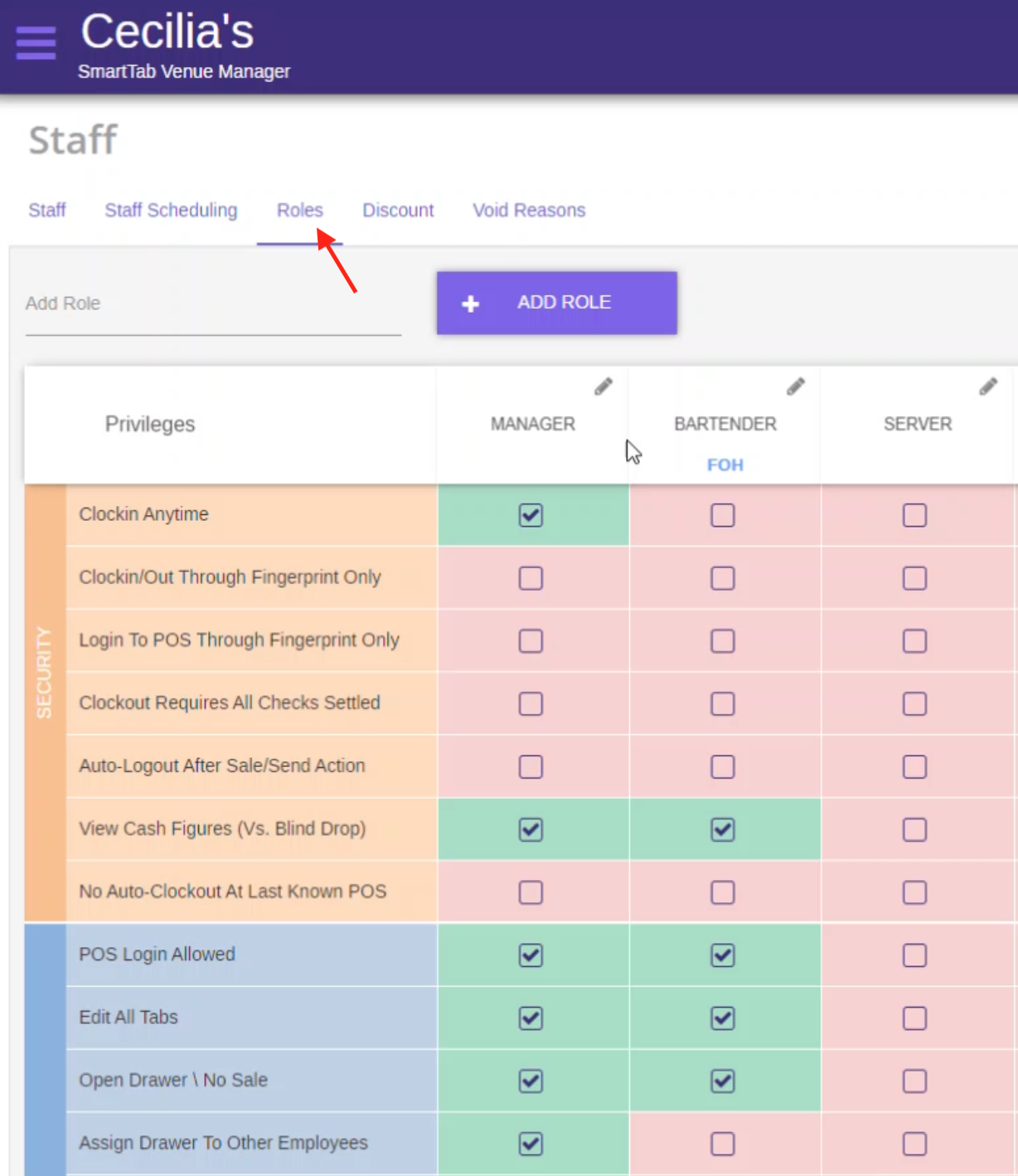
Navigate to the STAFF link
Step 3
Select ROLES and navigate to the position name that matches the privilege permission that needs to be changed.
Step 4
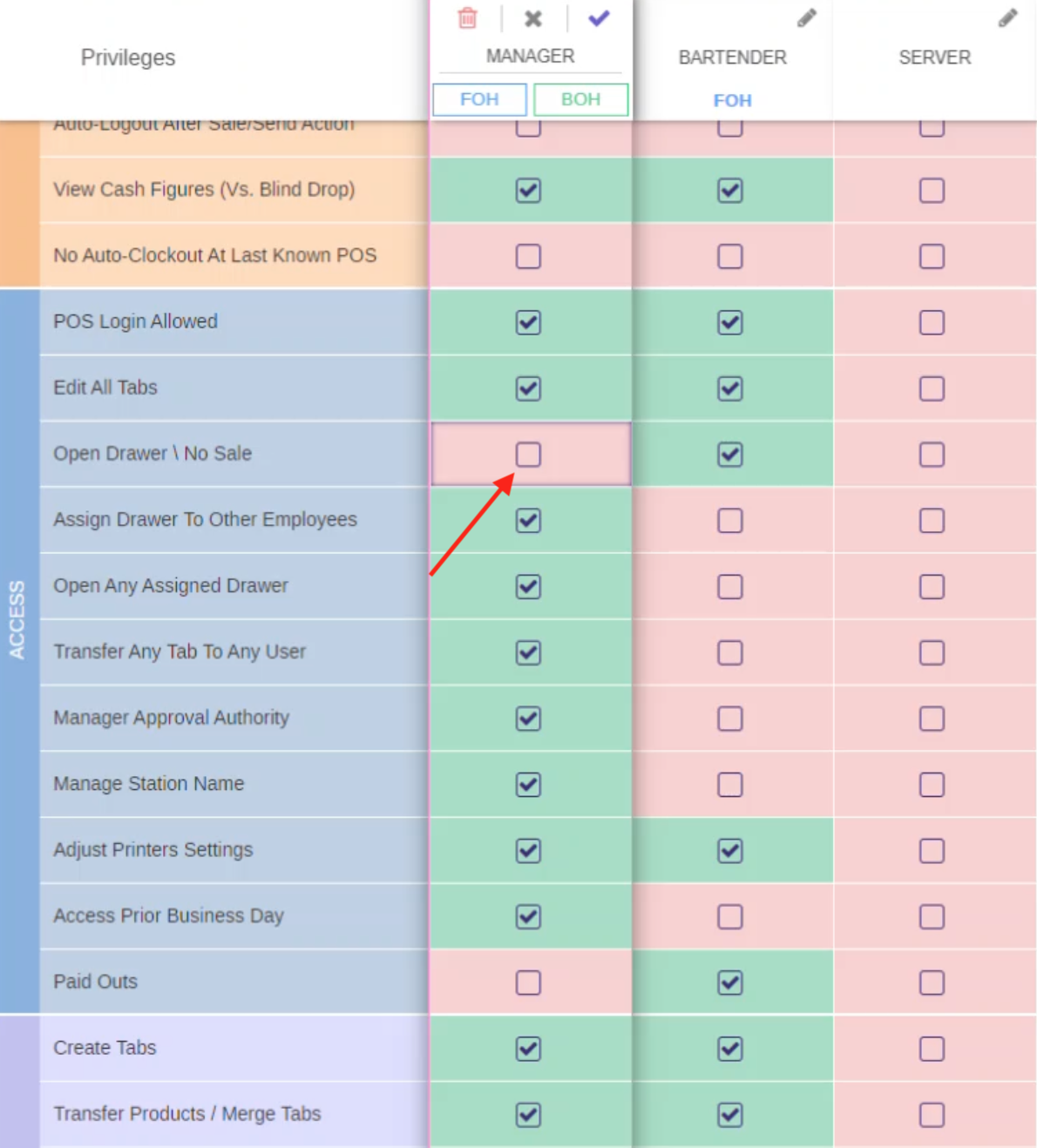
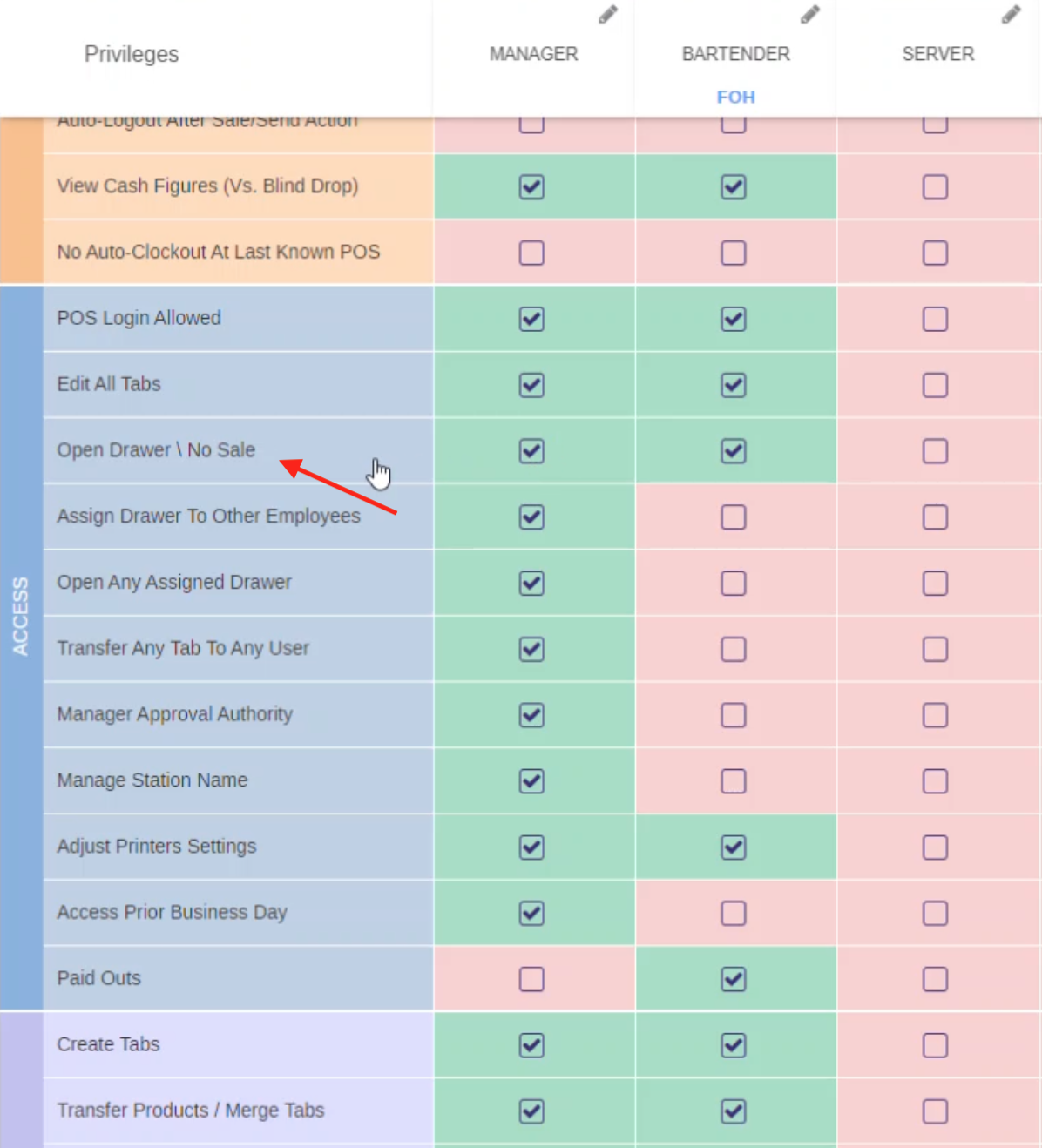
Once determined, scroll down to ACCESS and look for the row labeled “Open drawer/No sale”
Step 5
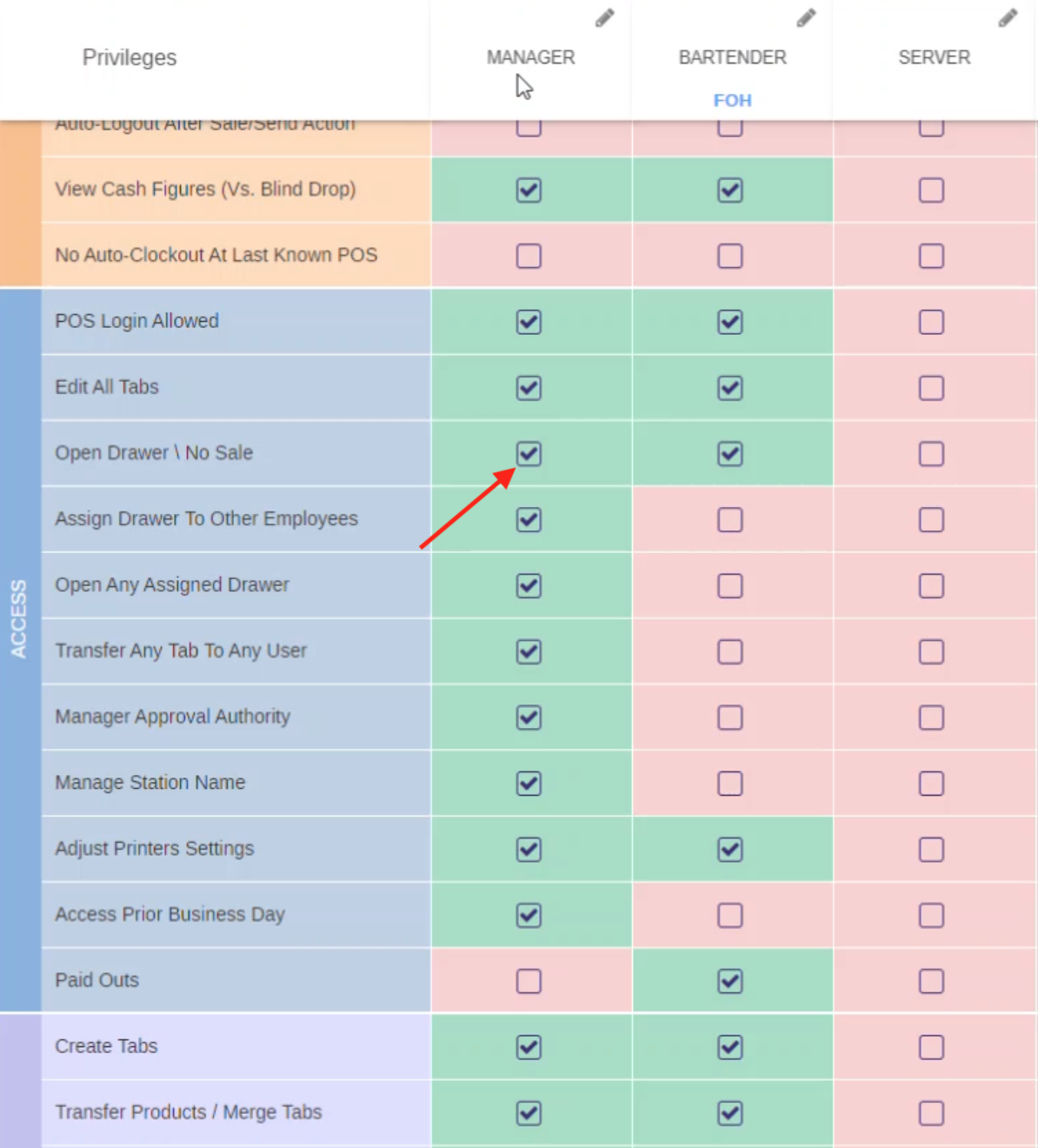
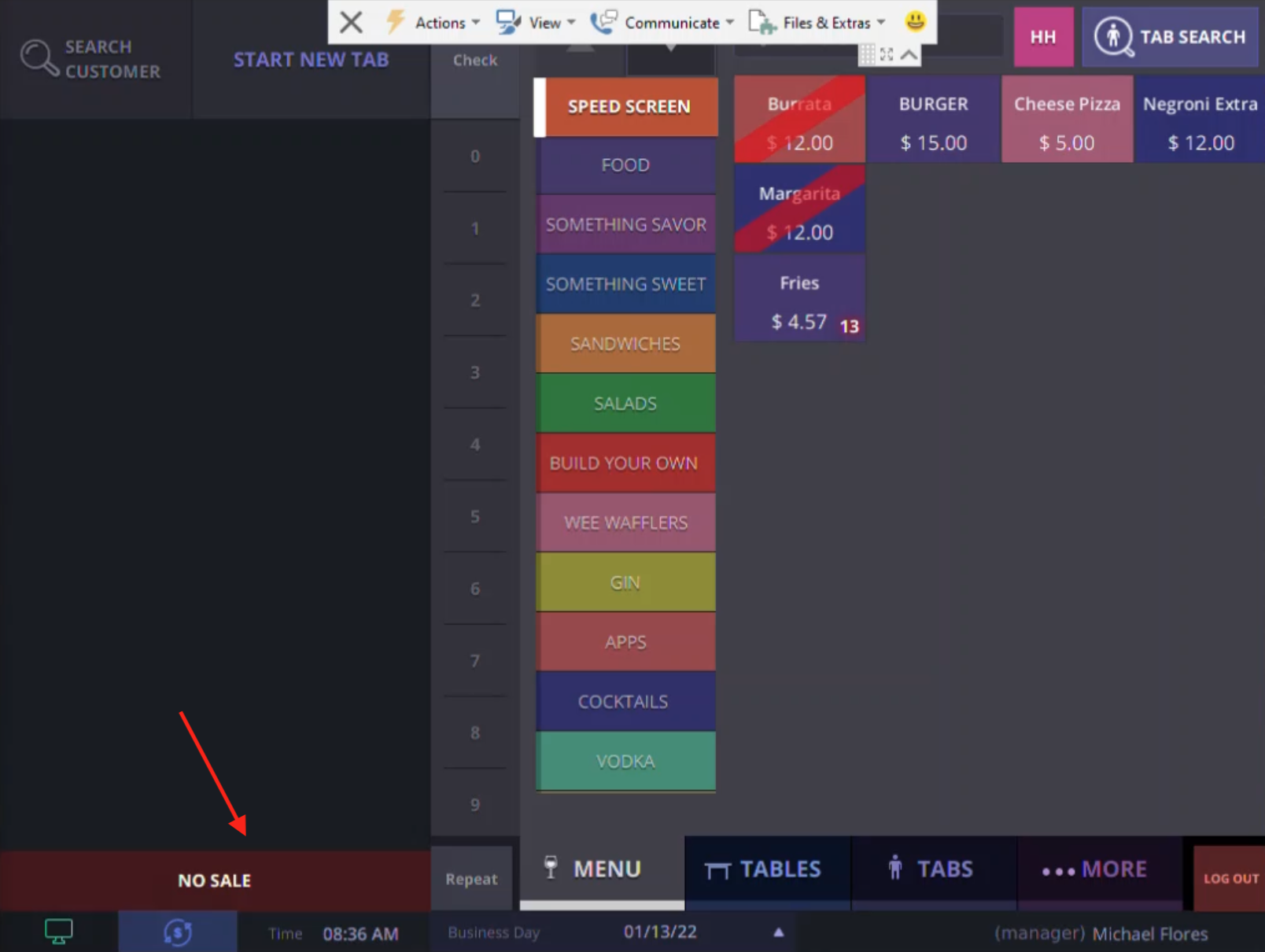
If the box is checked then the “no sale” button will appear on POS terminal. **If unchecked then the “no sale” button will not appear.
Unchecked